 Limit Consulting
Making the payment of the invoices easier for your client is one of the best strategies to keep your invoices up-to-date.From now all your invoices in Quipu will contain a link from which your client will be able to pay it.
How can you include this link in your invoice ?.You will only have to activate Setpay from your account.
What is a virtual POS( point of sale)?
A POS or TPV, as it is known in Spanish, is a platform that financial entities and banks offer to shops and other online businesses that allow them to accept online payment with credit , debit or virtual cards.
Once your client validate the shopping cart he is diverted to the payment platform where he can introduces payment details and complete the purchase.
There are three types of POS.
Traditional POS. It is a software and hardware connected to the bank that allows the client to pay with credit card in the shop. The familiar card machine.
Mobile POS. Similar to the traditional one but this time connected via SIM card It is conceived for professional people who need to visit their clients and charge for their services on the spot.
Virtual POS. This is the online payment platform mentioned above.
The important question is: how can I get my invoices paid earlier?.
From now your business can also have a Virtual POS even if you don’t count with an online shop. !
How does SetPay integrates with Quipu?. 5 steps to get paid earlier.
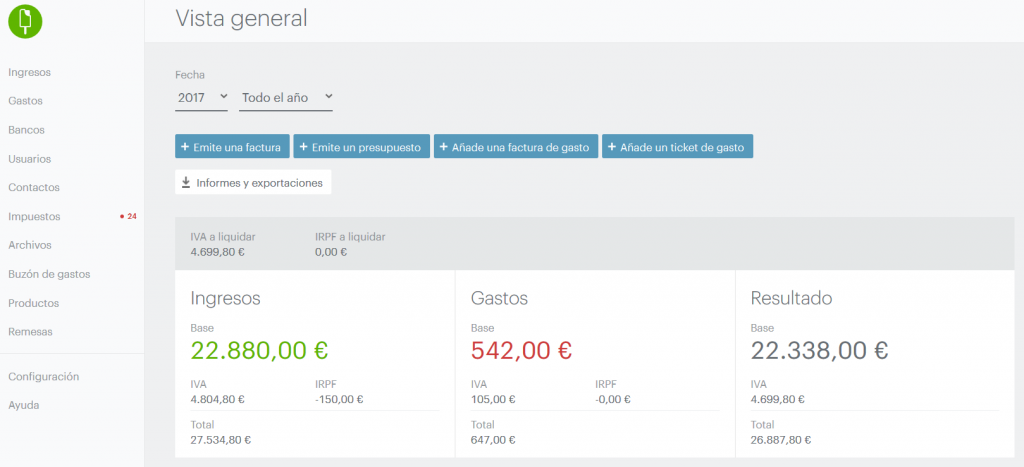
- From your Quipu account , access “Settings”
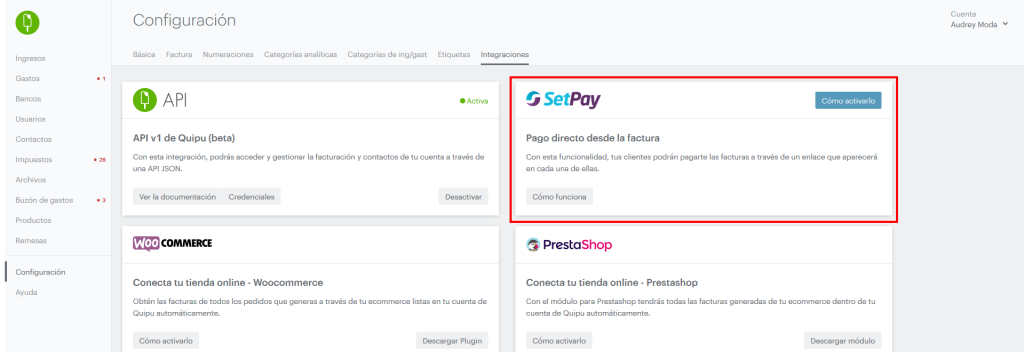
2. Clink on “Integrations” and you will see SETPAY ready to activate.
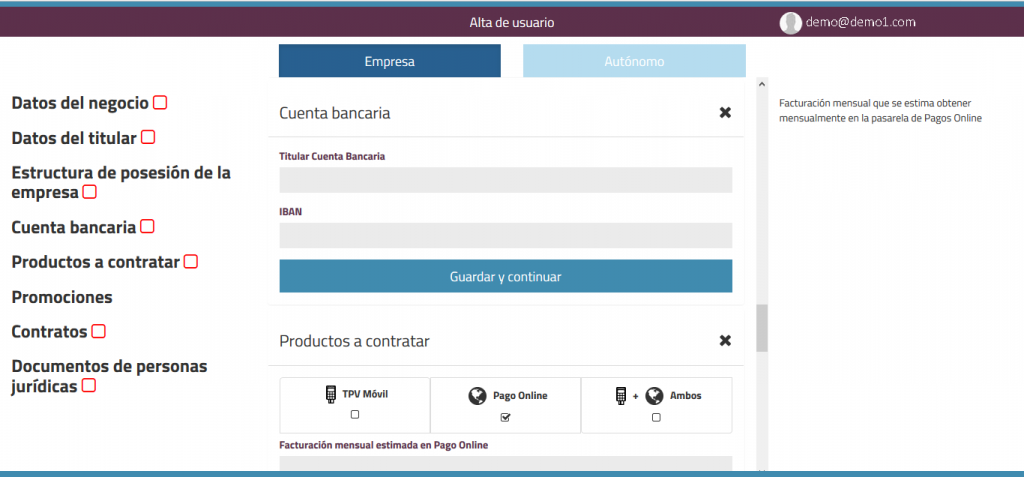
3.Click on the link available to register in SetPay and obtain access information.Fill in the requested information and Click on “Online Payment”.
 4.You will receive an email from Setpay to confirm the account and give you login credential
5.Go back to Quipu and input the codes given by SetPay
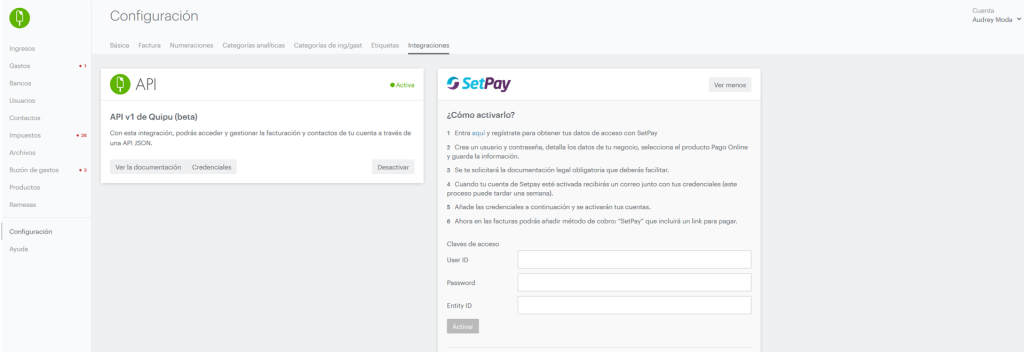
Once it is completed, create a new invoice. You will be able to select a new way of payment, via Setpay, that will include the link in your invoices.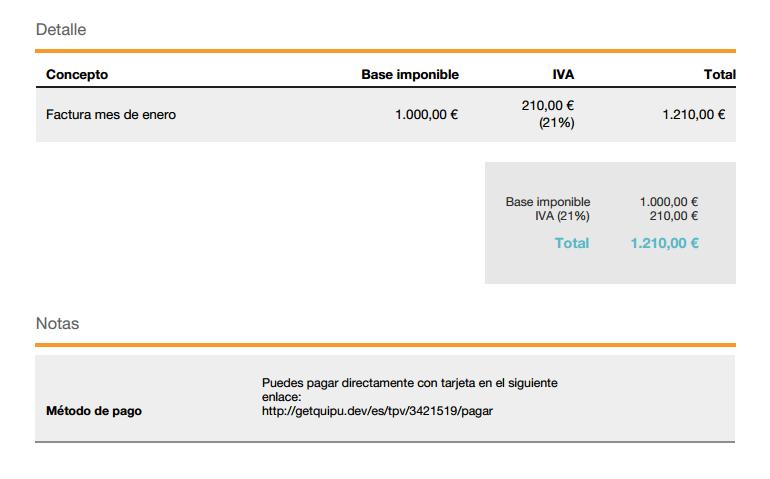
When your client clicks on the link below, he will be re-directed to you Virtual POS.
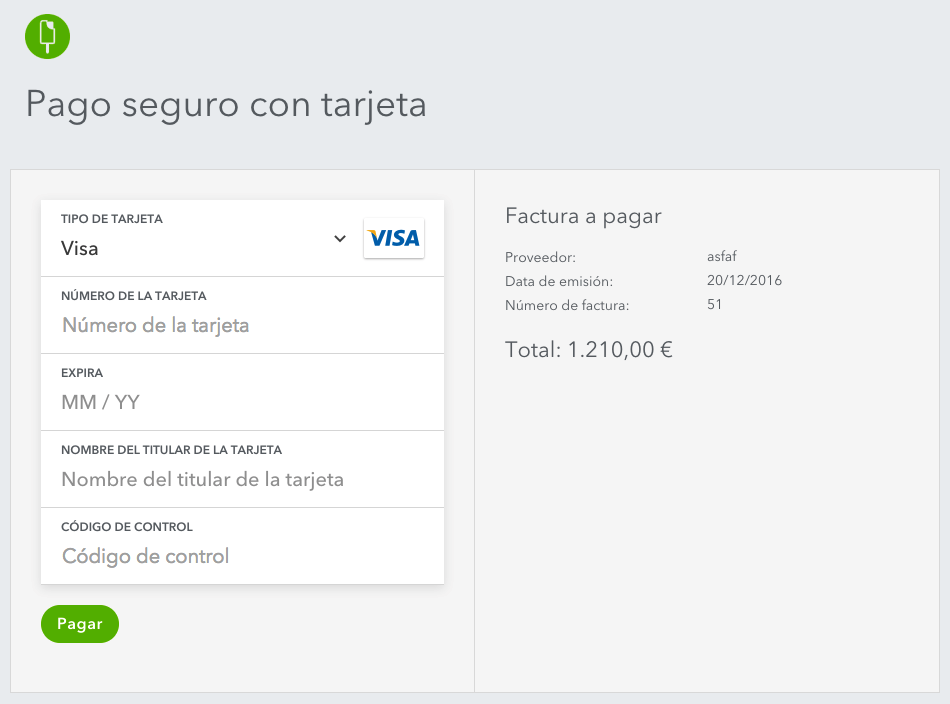
You will receive an email when the payment has been completed.
Ah! Important. With Setpay you will only pay for each service. NO fix costs, monthly or signing in costs.